
Retail POS System Development in Mukurweini, Othaya & Karatina
Manage sales, inventory and checkout more efficiently with a point-of-sale system tailored to your retail business. Zanzz Technologies helps businesses organise transactions, track stock and access useful sales records through a structured digital workflow.
For retailers in Mukurweini, Othaya and Karatina, keeping reliable sales and stock records is an important part of running a business. When sales are recorded manually or inventory is updated separately, it can be difficult to reconcile transactions, identify products that need restocking and understand sales performance.
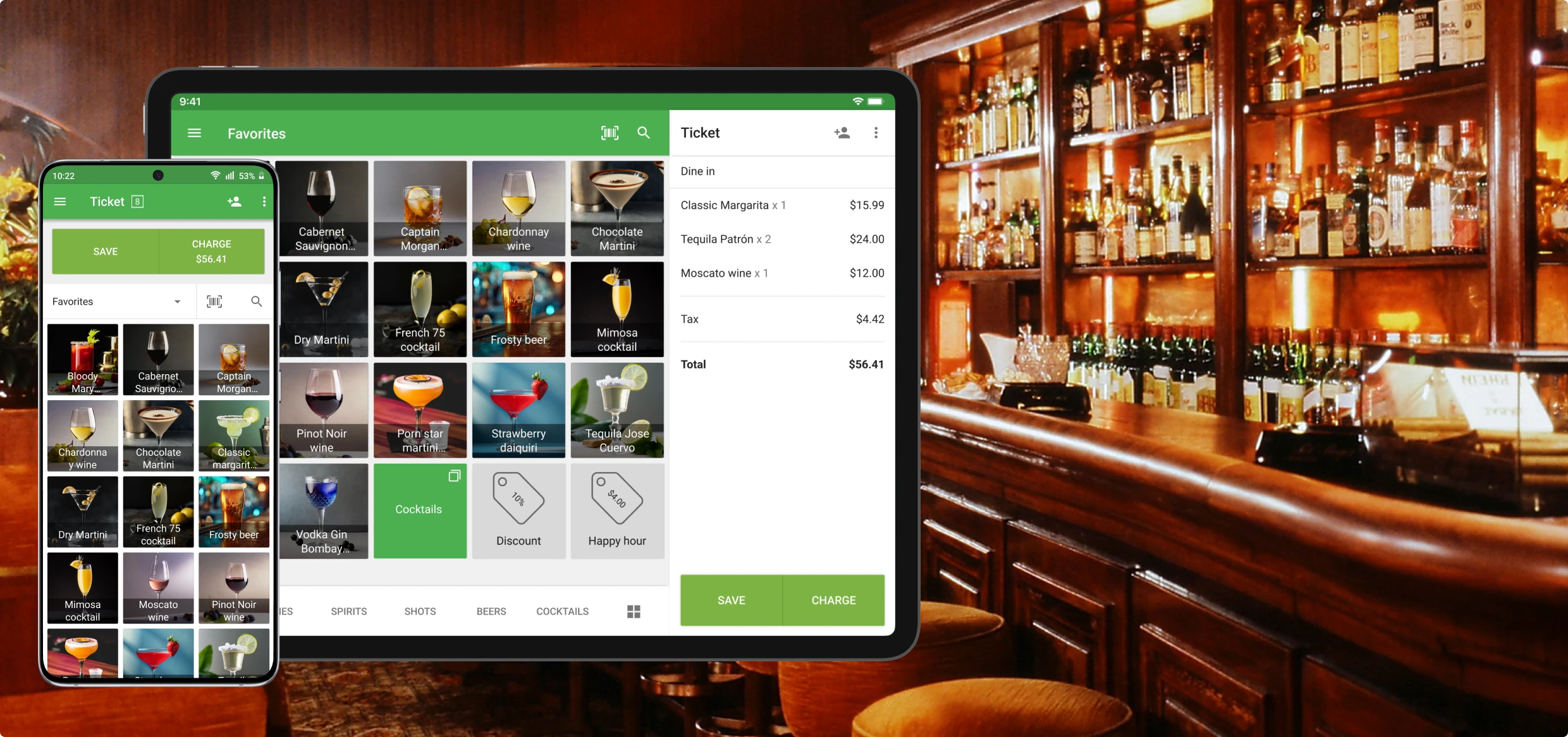
A retail point-of-sale (POS) system brings key tasks into one workflow. Depending on your requirements, it can help staff process transactions, search for products, update inventory and prepare reports without depending on scattered records.
Whether you operate a minimart, general shop, boutique, hardware store or another retail business, the system should fit your actual processes. Zanzz Technologies can discuss the functions your business needs and the most practical way to implement them.
Essential Features of a Retail POS System
A POS solution can be built around your checkout process, stock management needs and reporting requirements. Core features may include:
Sales and Checkout Management
Record customer purchases, calculate transaction totals, apply authorised discounts and maintain a searchable transaction history.
Inventory and Stock Control
Record stock received and sold, check available quantities and make stock-taking more structured.
Barcode and Product Search
Find items using compatible barcode scanners, product names, codes or stock-keeping units (SKUs).
Receipts and Transaction Records
Maintain clear records of completed transactions and configure suitable receipt workflows for your business.
Cashier Roles and Permissions
Assign user access according to staff responsibilities and review supported cashier activity and transaction records.
Sales and Stock Reports
Review daily or period-based sales, product movement and other operational figures supported by your configuration.
How POS Software Connects Sales and Inventory
A well-planned system helps connect what happens at the checkout counter with the records used to manage the business.
For Cashiers and Shop Staff
- Search for products or scan supported barcodes.
- Record sales using a consistent checkout process.
- Issue receipts where the system is configured to do so.
- Use assigned permissions for relevant transactions.
- Retrieve transaction details when needed.
For Owners and Managers
- Review sales totals and transaction history.
- Monitor stock quantities and inventory movements.
- Identify items that may need replenishment.
- Review supported staff activity and reports.
- Use more consistent records when planning purchases.
POS Development for Businesses in Mukurweini, Othaya and Karatina
Every retail business has different needs. The best starting point is to identify the products you sell, how your staff process transactions and which information you need to review regularly.
Mukurweini
Retail shops and small businesses can explore a more organised way to handle checkout, product records and everyday stock management.
Othaya
Businesses can plan a POS workflow that connects sales entries with stock records and makes product information easier to find.
Karatina
Busy retail counters and growing operations can benefit from structured transaction records, inventory workflows and sales summaries.
Available functions depend on the agreed project scope, compatible hardware, integrations and operational requirements.
How to Implement a POS System for Your Business
A successful POS project starts with understanding your workflow and testing the system against real business requirements.
Identify Your Requirements
List product categories, checkout steps, stock routines, staff roles, hardware and the reports you want to access.
Configure and Test
Set up the agreed features, prepare product records and test common transactions before the system is introduced to staff.
Train and Refine
Help users understand the workflow, collect feedback and make agreed improvements as the team starts using the system.
Digital Services to Support Your Business
Alongside POS development, we provide digital services to help businesses establish, manage and improve their online presence.
Retail POS System FAQs
What is a POS system?
A point-of-sale system is software, often used with checkout hardware, that records sales and can connect transactions with inventory, receipts and business reports.
Can a POS system support barcode scanning?
Yes. A system can be configured to work with compatible barcode scanners and product codes. Hardware compatibility should be checked during project planning.
Can a POS system track stock as products are sold?
Inventory can be linked to sales so recorded transactions update stock quantities, depending on the system configuration and agreed features.
Can a POS system support multiple branches?
Multi-branch support can be planned where required. The project scope may include branch-specific stock, user permissions, transfers and consolidated reporting.
How much does POS development cost in Kenya?
Pricing depends on the required functions, number of users and branches, hardware, integrations and support arrangements. Contact Zanzz Technologies with your requirements for a tailored quotation.
How do I request a POS development quote?
Visit our free quote page or message us on WhatsApp to discuss your business needs.
